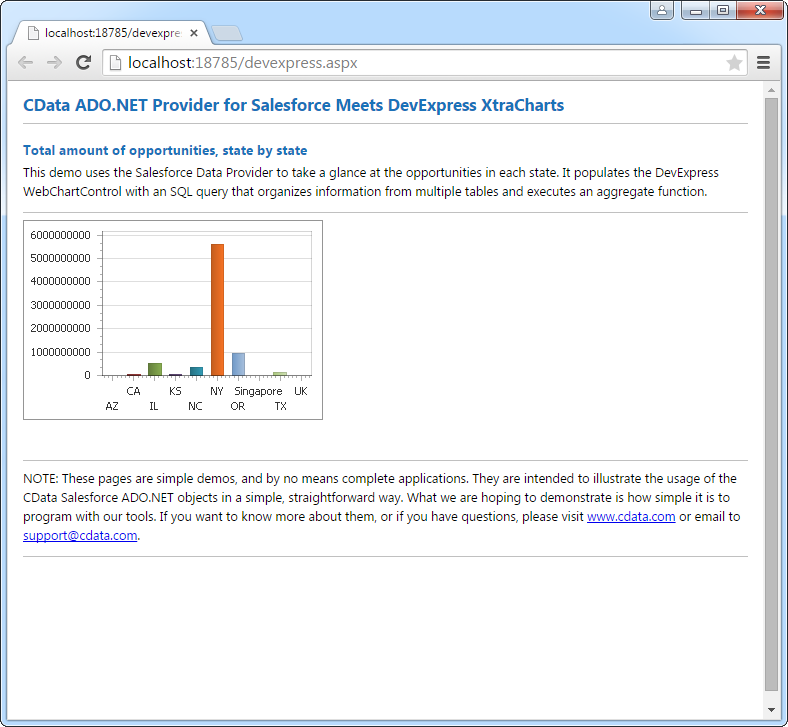





Printify のデータをDevExpress Data Grid にデータバインドする。

Printify 用の CData ADO.NET プロバイダーはサードパーティーコントロールで使うことのできる通常のADO.NET データベースアクセスコンポーネントを実装しています。データバインドするための通常のADO.NET プロセスに従うことで、UI コントロールから実データへの双方向アクセスを可能にします。 この記事では、CData を使ってDevExpress Windows Forms とウェブコントロールにデータバインドする方法を説明します。ここでは、最新のデータを表示するチャートにデータバインドします。
まず、Profile 接続プロパティにPrintify プロファイルのディスク上の場所を設定します(例:C:\profiles\Profile.apip)。次に、ProfileSettings 接続プロパティにPrintify の接続文字列を設定します(以下を参照)。
Printify API プロファイル設定
Printify に認証するには、API Key を提供する必要があります。API Key を取得するには、My Profile に移動し、次にConnections に移動します。Connections セクションで、Personal Access Token(API Key)を生成し、Token Access Scopes を設定できます。Personal Access Token の有効期限は1年間です。有効期限が切れたPersonal Access Token は、同じ手順で再生成できます。ProfileSettings プロパティにPersonal Access Token をAPI Key として設定して接続します。
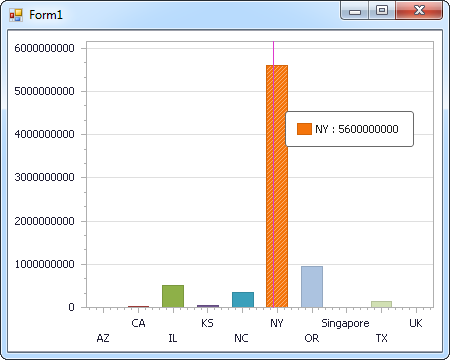
Windows Forms コントロール
下のコードでは、Printify でDevExpress のチャートに追加する方法を説明します。APIDataAdapter はチャートコントロールのSeries プロパティにバインドします。コントロールのDiagram プロパティはx 軸とy 軸をカラム名として定義します。
using (APIConnection connection = new APIConnection(
"Profile=C:\profiles\Printify.apip;ProfileSettings='APIKey=your_personal_token';")) {
  APIDataAdapter dataAdapter = new APIDataAdapter(
  "SELECT Id, ShippingMethod FROM Tags WHERE Status = 'pending'", connection);

  DataTable table = new DataTable();
  dataAdapter.Fill(table);
  DevExpress.XtraCharts.Series series = new DevExpress.XtraCharts.Series();
  chartControl1.Series.Add(series);
  DataTable table = new DataTable();
  series.ValueDataMembers.AddRange(new string[] { "ShippingMethod" });
  series.ArgumentScaleType = DevExpress.XtraCharts.ScaleType.Qualitative;
  series.ArgumentDataMember = "Id";
  series.ValueScaleType = DevExpress.XtraCharts.ScaleType.Numerical;
  chartControl1.Legend.Visibility = DevExpress.Utils.DefaultBoolean.False;
  ((DevExpress.XtraCharts.SideBySideBarSeriesView)series.View).ColorEach = true;
}
Web コントロール
下のコードではPrintify でDevExpress Web を操作するための設定方法を説明します。APIDataAdapter はチャートのSeries プロパティにバインドします。Diagram プロパティはx 軸とy 軸をカラム名として定義します。
using DevExpress.XtraCharts;

using (APIConnection connection = new APIConnection(
"Profile=C:\profiles\Printify.apip;ProfileSettings='APIKey=your_personal_token';"))
{
  APIDataAdapter APIDataAdapter1 = new APIDataAdapter("SELECT Id, ShippingMethod FROM Tags WHERE Status = 'pending'", connection);
  DataTable table = new DataTable();
  APIDataAdapter1.Fill(table);
  DevExpress.XtraCharts.Series series = new Series("Series1", ViewType.Bar);
  WebChartControl1.Series.Add(series);
  DataTable table = new DataTable();
  series.ValueDataMembers.AddRange(new string[] { "ShippingMethod" });
  series.ArgumentScaleType = ScaleType.Qualitative;
  series.ArgumentDataMember = "Id";
  series.ValueScaleType = ScaleType.Numerical;
  ((DevExpress.XtraCharts.SideBySideBarSeriesView)series.View).ColorEach = true;
}