





Excel Add-In for Google Contacts
Excel からGoogle コンタクトを自在にCRUD
Google Contacts Excel Add-In は、Microsoft Excel からGoogle コンタクトのリアルタイムデータへの接続を実現するパワフルなツールです. Excel を使ってContacts、Groups のようなGoogle コンタクトデータにアクセスします。大量データのインポート / エクスポート / 更新、Excel でのデータ分析に最適!
アドインをインストールし、Google Contacts 接続を設定するだけですぐに使えます!
無料トライアルをダウンロード 今すぐ購入
その他の Google ドライバー
-

-

Google Calendar
詳細 » -

Google Sheets
詳細 » -

Google Drive
詳細 » -

Google Directory
詳細 » -

Google Campaign Manager 360
詳細 » -

Google Ad Manager
詳細 » -

Gmail
詳細 » -

Google BigQuery
詳細 » -

Google Spanner
詳細 » -

Google Data Catalog
詳細 » -

Google Cloud Storage
詳細 » -

Google Ads
詳細 » -

Google AlloyDB
詳細 » -

Google Search
詳細 » -

YouTube Analytics
詳細 »
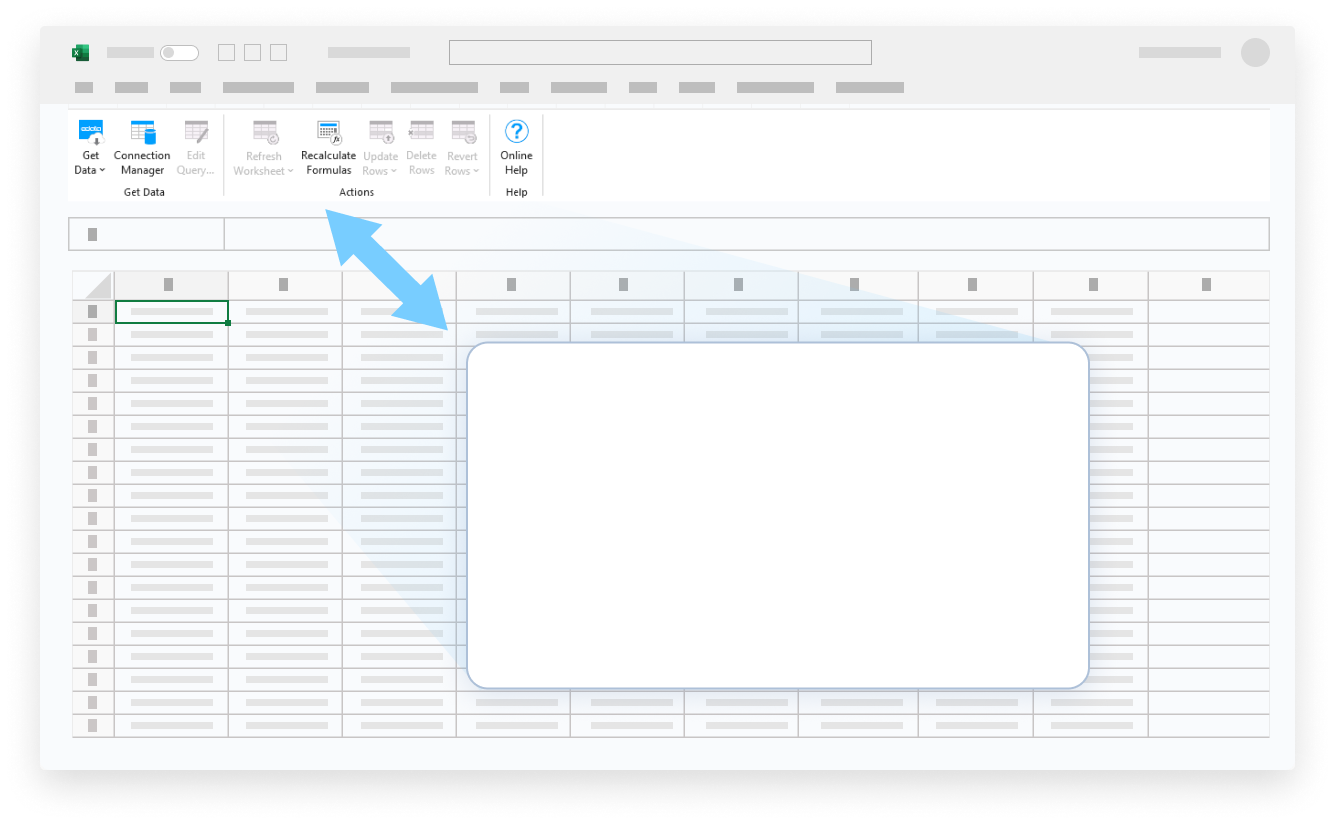


Google Contacts のデータ を、あなたの方法で!
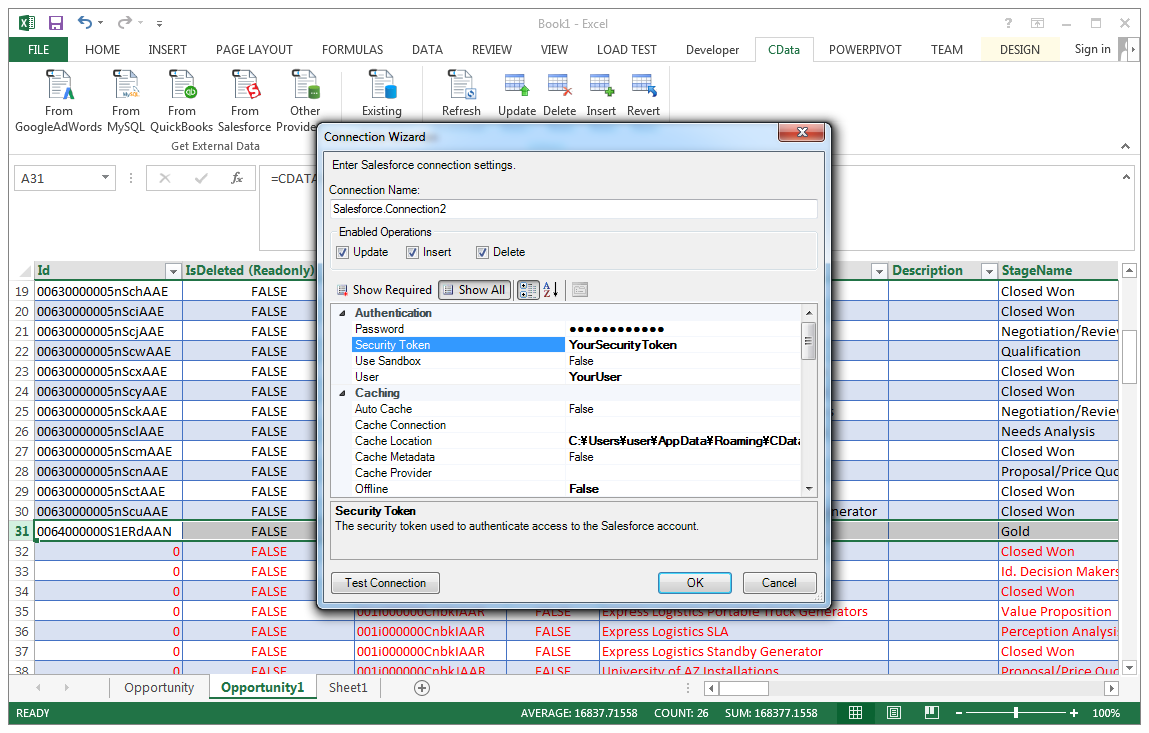
Excel Add-In for Google Contacts は、Google Contacts のデータ に接続する最も簡単な方法を提供します。接続ウィザードで認証情報を入力するだけで接続を作成でき、すぐにライブ Google Contacts データのテーブルを操作できます。Excel アドインは完全に独立しており、追加のソフトウェアインストールは不要です。
Excel からライブ Google Contacts のデータ への双方向アクセス
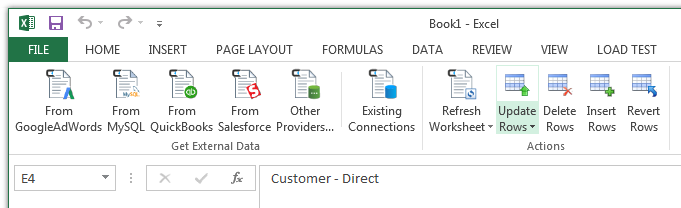
Excel Add-In for Google Contacts は Excel のツールバーとリボンに統合されており、ワンクリックでライブデータに直接アクセスできます。
使いやすく、シンプルな設定:
- アドインをインストール
- ユーザー名とパスワードでログイン
- テーブルを選択
CData Google Contacts Excel アドインをインストールすると、Excel に専用ツールバーが作成され、Google Contacts データへの即時アクセスが可能になり、データ分析とレポート作成が迅速化されます。 Excel ツールバーから、インストールされている CData アドインを選択して接続を設定できます。
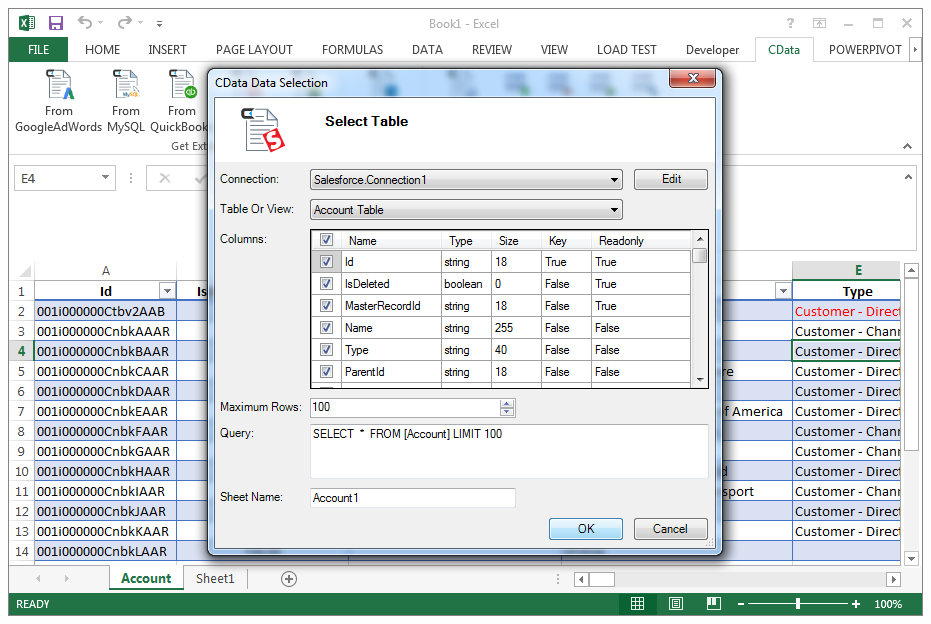
テーブルと列を選択
データ接続を設定したら、テーブルを指定するだけで、Excel アドインが新しい Excel シートにライブ Google Contacts のデータ を入力します。
Excel のフルパワーで Google Contacts のデータ を活用
大量インポート/エクスポート/更新、データクレンジングと重複排除、Excel ベースのデータ分析などに最適です!
- レコードの変更と削除
- データの高速エクスポートとバックアップ
- グラフやピボットテーブルでデータを操作
Google Contacts Excel 接続に関するよくある質問
Google Contacts と Microsoft Excel の統合に関する一般的な質問。
Google Contacts を Excel に接続するにはどうすればよいですか?
The best way to integrate Google Contacts with Excel is by using the CData Connect AI for Spreadsheets Excel Add-In. Google Contacts と Excel を連携する最良の方法は、CData Connect Spreadsheets Excel アドインを使用することです。 Google Contacts Excel コネクタは、Desktop、Mac、または Web(Excel 365)から直接、簡単な Google Contacts Excel 連携を提供します。使いやすいクラウドインターフェースから Google Contacts への接続を設定し、ネイティブの Excel データソースと同じように Google Contacts にアクセスできます。
Google Contacts を Excel にエクスポートできますか?
Google Contacts の Excel へのエクスポート設定は過去のものです — 最新データを確保するためのダウンロードやコピー&ペーストはもう不要です。 CData Connect Spreadsheets Excel アドインは provides live direct connectivity to Google Contacts and does not require a Google Contacts Excel export. Instead, simply click the Refresh button from the Excel Google Contacts plugin toolbar and the tool will download Google Contacts to excel instantly. You can even schedule refreshes to export from Google Contacts to Excel automatically, so your Excel reporting is always fresh and Google Contacts へのライブ直接接続を提供し、Google Contacts Excel エクスポートを必要としません。代わりに、Excel Google Contacts プラグインツールバーから更新ボタンをクリックするだけで、Google Contacts を Excel に即座にダウンロードできます。さらに、Google Contacts から Excel への自動エクスポートのために更新をスケジュールすることもでき、必要なときに Excel レポートが常に最新の状態になります。
Excel から Google Contacts データを編集できますか?
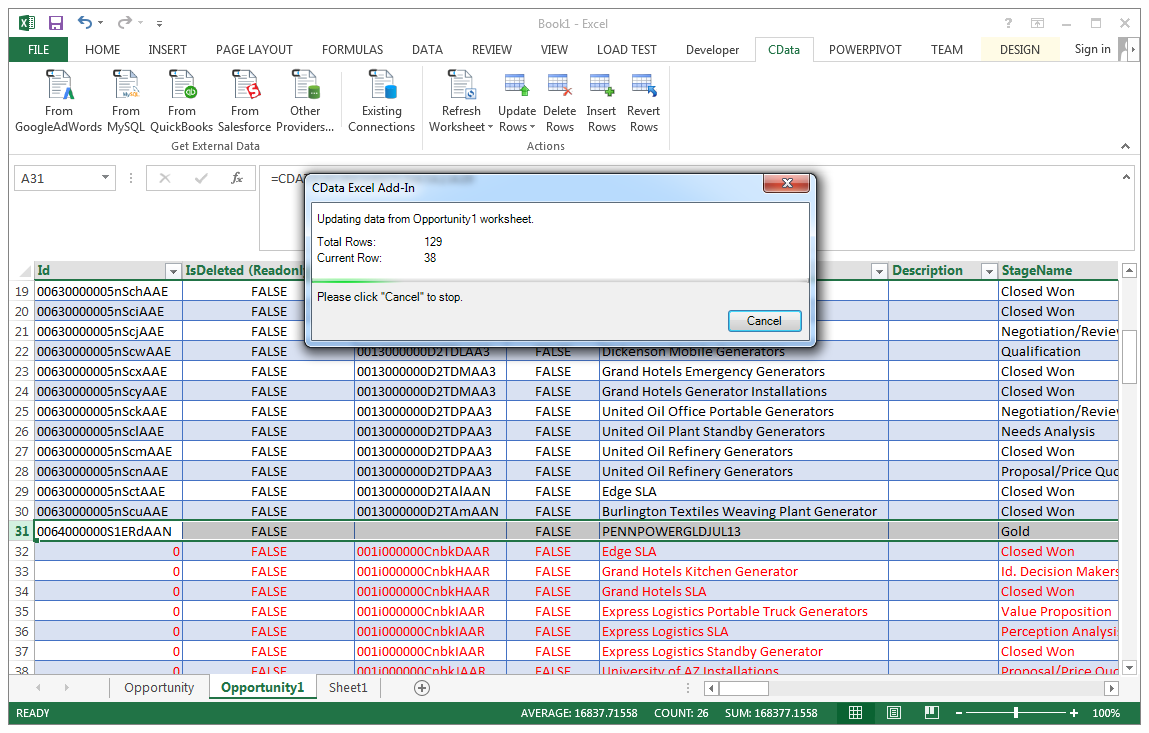
CData の連携により、Excel から Google Contacts データへのライブの双方向アクセスが可能になります。スプレッドシートにライブデータを簡単に取り込み、変更を加え、 Google Contacts に更新をプッシュ できます — Excel を離れることなく。編集されたセルは ソースデータとの違いを示すために自動的にハイライトされます。準備ができたら、CData アドインツールバーの行を更新ボタンをクリックして 変更を同期します。
無料トライアルはありますか?
もちろんです。すべての CData 製品で無料トライアルをご利用いただけます。 CData Connect Spreadsheets Excel アドインの場合、すべてのアカウントは For the CData Connect AI for Spreadsheets Excel Add-In all accounts start on a 15-day free trial of the 無制限のProプランの 15 日間無料トライアルから始まります。Pro プランには、プラットフォームのすべての強力な機能と能力への無制限のアクセスが含まれます。 15 日間のトライアル期間後、製品を購入して Pro レベルを継続するオプションがあります。または、アカウントは自動的にForever-Freeプランにダウングレードされます。 無料プランは無期限で継続して使用できますが、クエリあたり 5,000 レコード、1 ユーザー、3 データソース、月間 50 クエリに制限されます。
Start your trial today: Google Contacts Excel Add-In free download.
今すぐトライアルを開始: Google Contacts Excel アドイン無料ダウンロード。
人気の Excel 動画:

Google Contacts Excel アドインをダウンロード
ライブ Google Contacts データに接続するカスタムダッシュボードやレポートの作成がこれまでになく簡単になりました。CData Excel Add-In for Google Contacts を今すぐダウンロードして接続しましょう。